Vision and audio processors
Vision and speech models need modality-specific preprocessors: image processors, video processors and feature extractors.
Adapted for this playbook from the 🤗 Transformers documentation by Hugging Face. Official page: https://huggingface.co/docs/transformers/image_processors. Images © Hugging Face (
documentation-images) unless noted. This is not a substitute for the upstream docs — verify against the current version.Covers Hugging Face pages: image_processors, video_processors, feature_extractors, add_vision_processing_components, add_audio_processing_components

Source: Hugging Face documentation images.
Image processors
from transformers import AutoImageProcessor
from PIL import Image
import requests

url = "https://huggingface.co/datasets/huggingface/documentation-images/resolve/main/pipeline-cat-chonk.jpeg"
image = Image.open(requests.get(url, stream=True).raw)
processor = AutoImageProcessor.from_pretrained("google/vit-base-patch16-224")
inputs = processor(images=image, return_tensors="pt")

Source: Hugging Face Transformers documentation.
Typical steps: resize / crop, rescale, normalise, convert to tensors, optional padding for batches.
Video processors
Video models extend image pipelines across frames (sampling rate, frame count, spatial resize). Use the processor bundled with the checkpoint — see Video processors.
Audio feature extractors
from transformers import AutoFeatureExtractor

fe = AutoFeatureExtractor.from_pretrained("openai/whisper-small")
# fe(audio_array, sampling_rate=16000, return_tensors="pt")
Whisper and other ASR models expect a fixed sampling rate (often 16 kHz). Resample before extraction.
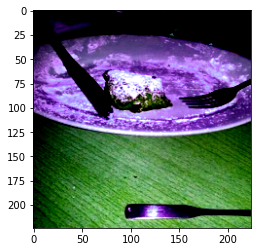
Source: Hugging Face documentation images.
Backbones
Some vision stacks expose reusable backbones for detection/segmentation frameworks — see Backbones.
Discussion
Comments
Share feedback or questions about this page. No account required.
Loading comments…