MCP Inspector
The MCP Inspector is an interactive developer tool for testing and debugging MCP servers.
Adapted from MCP Inspector.
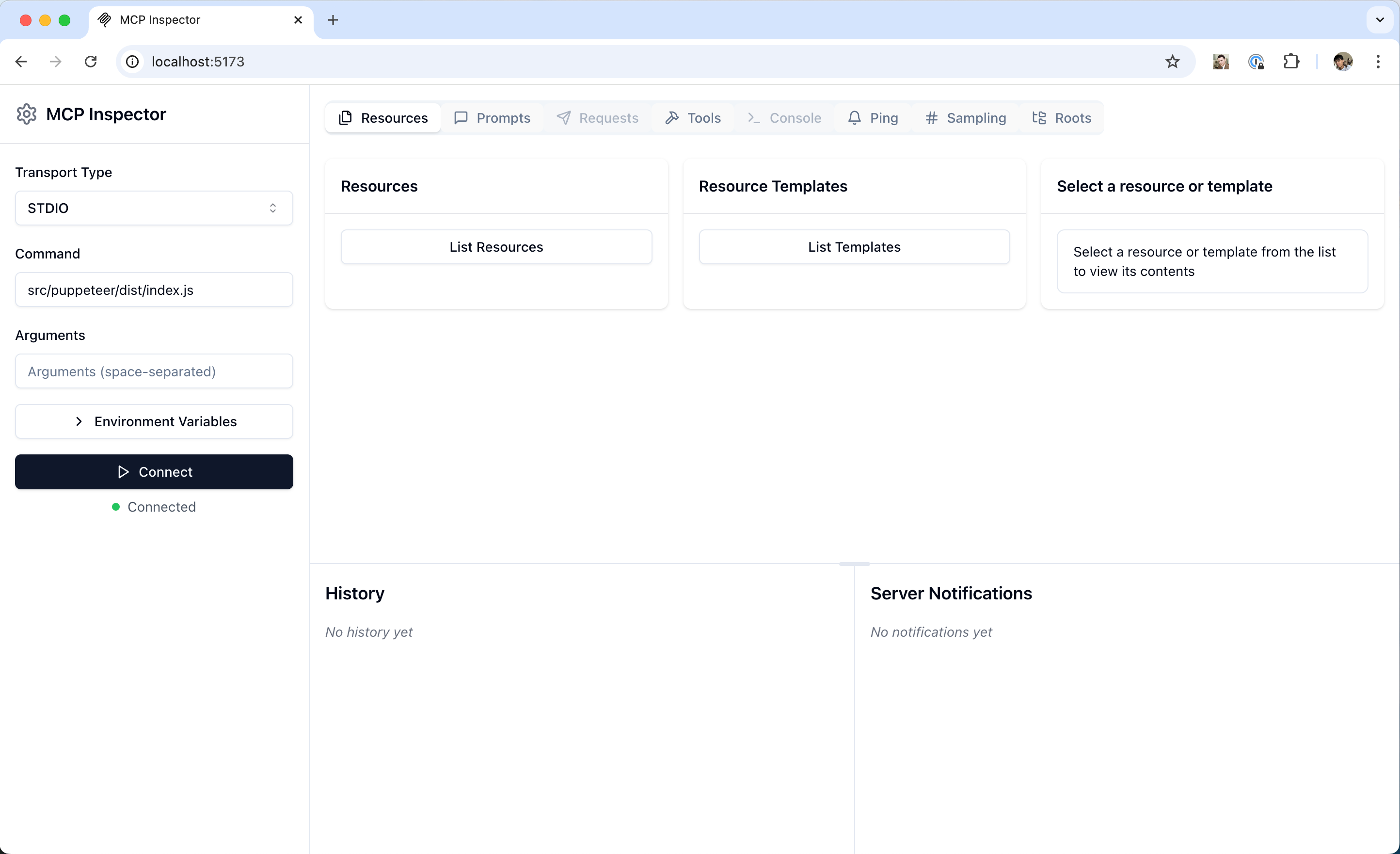
Source: modelcontextprotocol/docs (mcp-inspector.png).
Getting started
npx @modelcontextprotocol/inspector <command>
npx @modelcontextprotocol/inspector <command> <arg1> <arg2>
npm / PyPI packages
npx -y @modelcontextprotocol/inspector npx @modelcontextprotocol/server-filesystem /Users/username/Desktop
npx @modelcontextprotocol/inspector uvx mcp-server-git --repository ~/code/mcp/servers.git
Local servers
npx @modelcontextprotocol/inspector node path/to/server/index.js args...
npx @modelcontextprotocol/inspector \
  uv \
  --directory path/to/server \
  run \
  package-name \
  args...
Always read the server README for the authoritative launch command.
Feature overview
| Area | What you can do |
|---|---|
| Server connection | Choose transport; customise args and env for local servers |
| Resources | List, inspect MIME/metadata, read content, test subscriptions |
| Prompts | List templates, fill arguments, preview messages |
| Tools | Inspect schemas, call with custom inputs, view results |
| Notifications | View server logs and protocol notifications |
Development workflow
- Launch Inspector with your server.
- Verify connectivity and capability negotiation.
- Change server code → rebuild → reconnect → retest.
- Probe edge cases: invalid inputs, missing prompt args, concurrent calls, error payloads.
Negative cases
- Wrong working directory → resources/files not found; set
--directory/ cwd deliberately. - Missing env vars → tool fails only in Inspector if host injects different env; align both.
- Testing only happy paths → ship brittle servers; add invalid schema tests.
Discussion
Comments
Share feedback or questions about this page. No account required.
Loading comments…