Understanding MCP servers
MCP servers are programs that expose specific capabilities to AI applications through standardised protocol interfaces.
Common examples: filesystem servers, database servers, GitHub, Slack, and calendar servers.
Adapted from Understanding MCP servers.
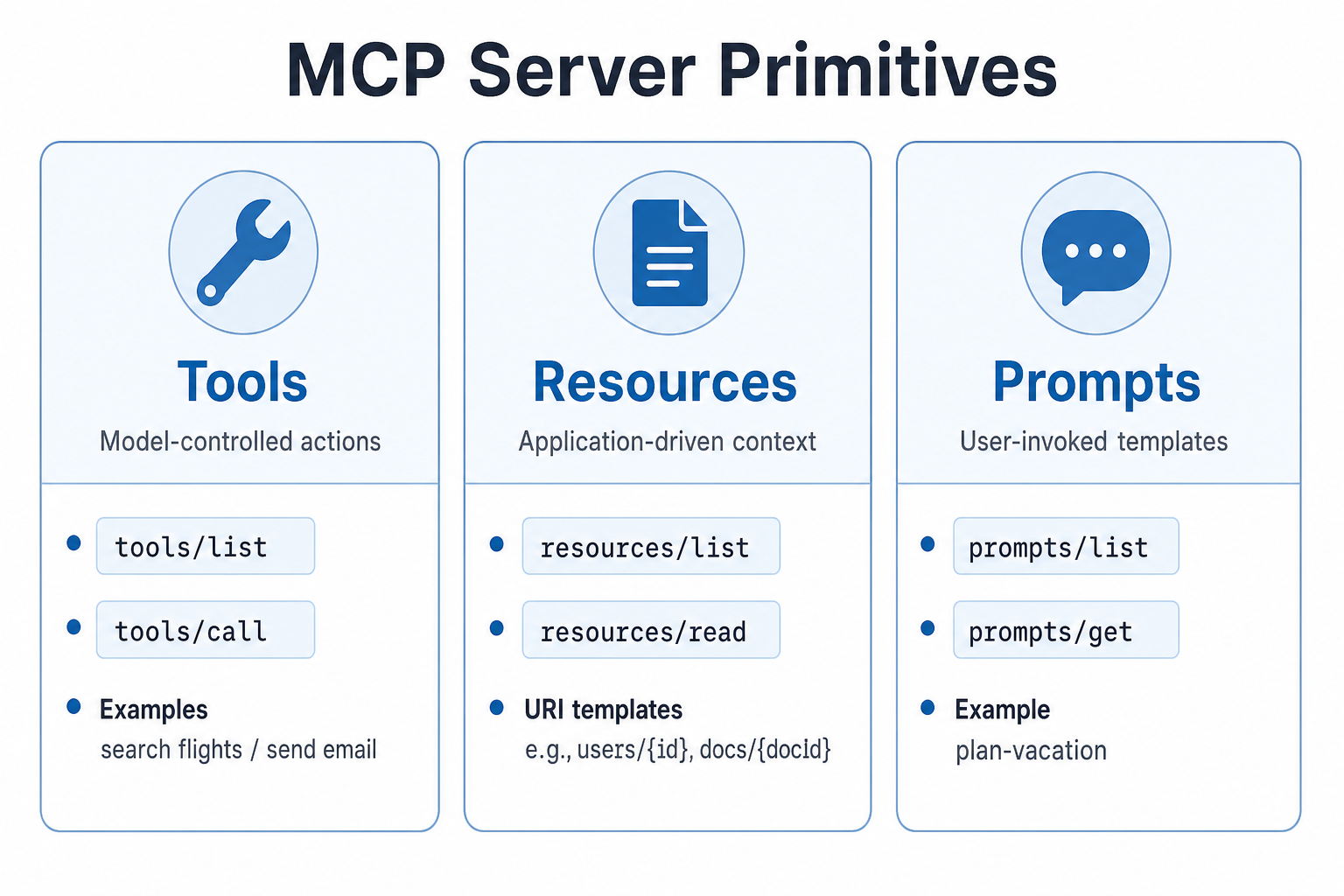
Three server building blocks and who typically controls them. Playbook diagram.
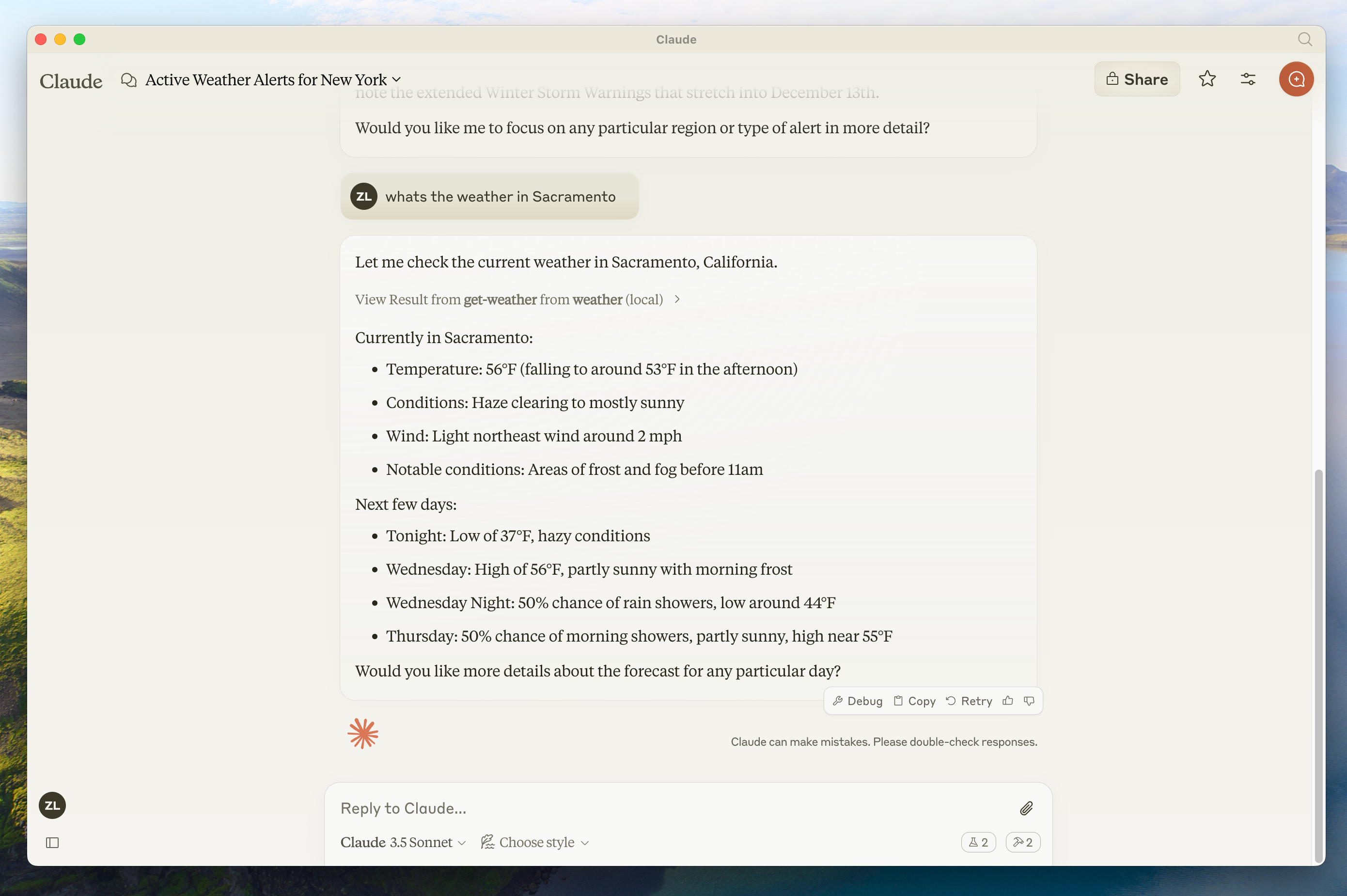
Example of a host surfacing server-backed weather context. Source: modelcontextprotocol/docs (current-weather.png).
Core server features
| Feature | Explanation | Examples | Who controls it |
|---|---|---|---|
| Tools | Functions the LLM can call when useful | Search flights, send messages, create events | Model |
| Resources | Passive read-only data for context | Documents, schemas, calendars | Application |
| Prompts | Pre-built instruction templates | Plan a vacation, summarise meetings | User |
Tools
Tools are schema-defined operations validated with JSON Schema. They may require user consent before execution.
| Method | Purpose |
|---|---|
tools/list | Discover tool definitions and schemas |
tools/call | Execute a tool |
{
  name: "searchFlights",
  description: "Search for available flights",
  inputSchema: {
    type: "object",
    properties: {
      origin: { type: "string", description: "Departure city" },
      destination: { type: "string", description: "Arrival city" },
      date: { type: "string", format: "date", description: "Travel date" }
    },
    required: ["origin", "destination", "date"]
  }
}
Travel booking example: searchFlights, createCalendarEvent, sendEmail — each a single clear action.
User interaction model: hosts should show available tools, approval dialogs, permission presets and activity logs so humans stay in control.
Resources
Resources expose data via unique URIs and MIME types.
| Pattern | Example |
|---|---|
| Direct resource | calendar://events/2024 |
| Resource template | travel://activities/{city}/{category} |
| Method | Purpose |
|---|---|
resources/list | List direct resources |
resources/templates/list | Discover templates |
resources/read | Read contents |
subscriptions/listen | Watch for updates |
{
  "uriTemplate": "weather://forecast/{city}/{date}",
  "name": "weather-forecast",
  "title": "Weather Forecast",
  "description": "Get weather forecast for any city and date",
  "mimeType": "application/json"
}
Parameter completion helps users discover valid values (for example typing Par suggests Paris).
Resources are application-driven: the host decides what to fetch, filter with embeddings, or pass to the model.
Prompts
Prompts are reusable, parameterised templates. They are user-controlled — invoked explicitly (slash commands, command palette), not auto-fired by the model.
| Method | Purpose |
|---|---|
prompts/list | Discover prompts |
prompts/get | Retrieve full definition and arguments |
{
  "name": "plan-vacation",
  "title": "Plan a vacation",
  "description": "Guide through vacation planning process",
  "arguments": [
    { "name": "destination", "type": "string", "required": true },
    { "name": "duration", "type": "number", "description": "days" },
    { "name": "budget", "type": "number", "required": false }
  ]
}
Bringing servers together
The power of MCP shows when multiple servers collaborate:
- User invokes
plan-vacationwith destination and dates. - User (or host) selects resources: calendar, travel preferences, past trips.
- Model uses tools across Travel, Weather and Calendar/Email servers — with approval for booking side effects.
Result: a task that could take hours completes in minutes with structured context and controlled actions.
Negative cases
- Tool schemas that are too vague → models call tools incorrectly; keep one responsibility per tool.
- Resources without MIME types → hosts mishandle content; always declare MIME.
- Prompts that auto-trigger → violates user control; require explicit invocation.
- Granting filesystem tools to broad home directories → over-privilege; scope paths tightly.
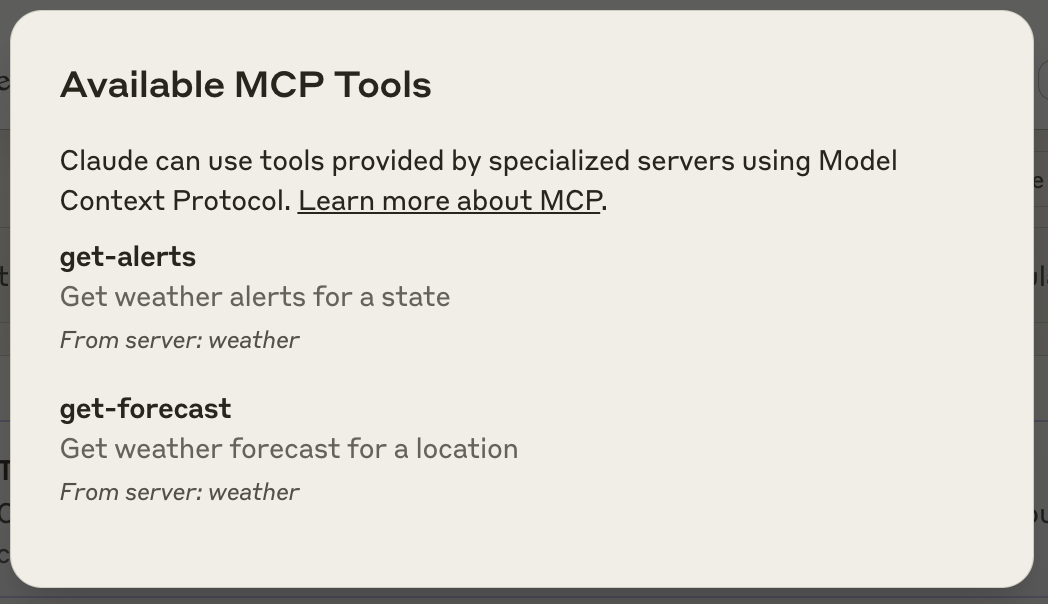
Hosts often surface a tools affordance so users can see what servers expose. Source: modelcontextprotocol/docs.
Discussion
Comments
Share feedback or questions about this page. No account required.
Loading comments…