Client best practices
Patterns for scaling MCP host applications across many servers and tools.
Adapted from Client Best Practices.
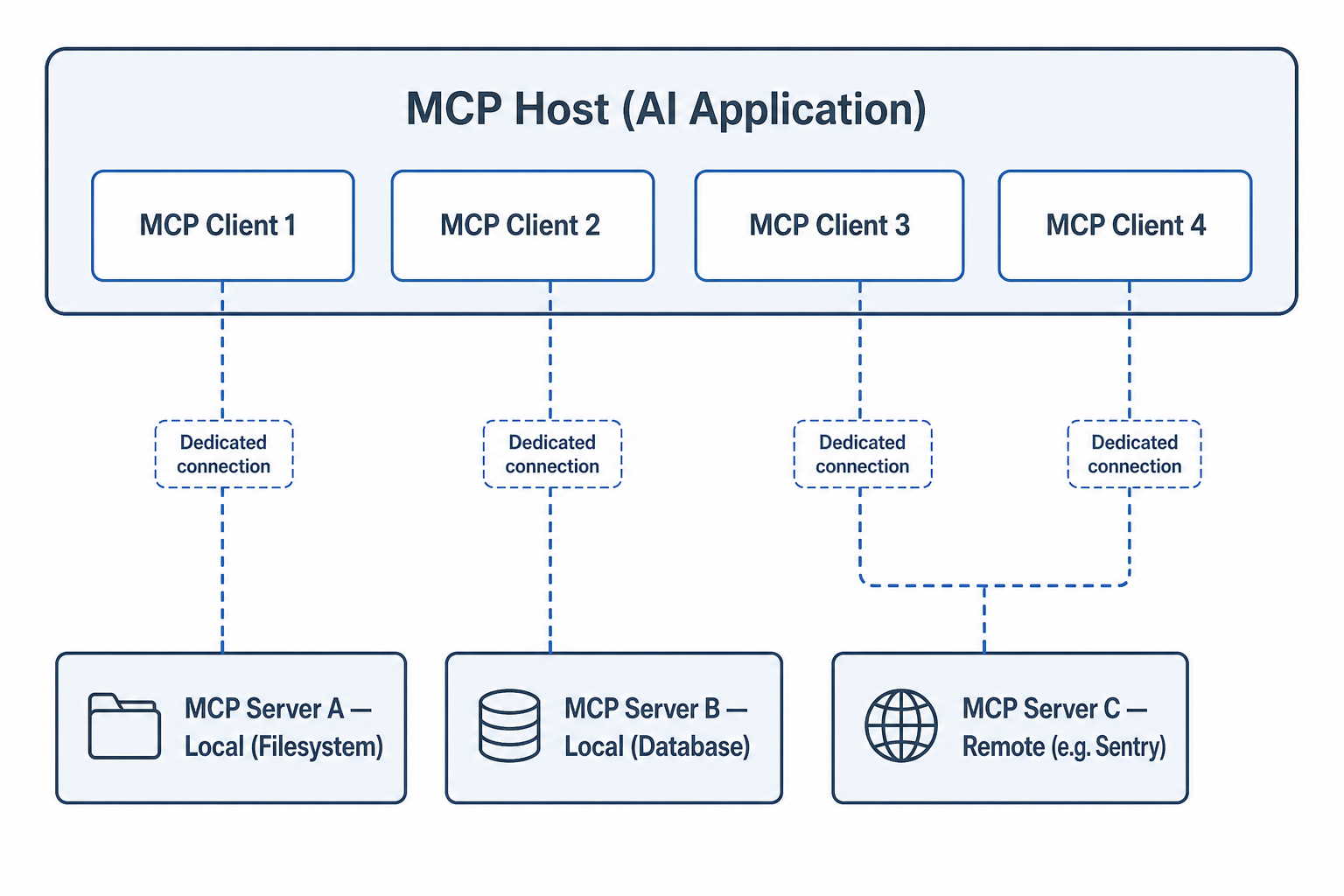
Scale by adding clients, not by multiplexing unrelated servers on one connection.
Recommended patterns
1. One client per server
Keep isolation clear: crash, auth failure or version mismatch on one server should not take down others.
2. Namespace tools
Prefix or qualify tool names with server identity when aggregating for the LLM (filesystem.read_file vs bare read_file).
3. Lazy load and cache discovery
- Call
server/discover/tools/liston connect. - Honour TTL / cache headers when present.
- Refresh on
listChangednotifications instead of polling blindly.
4. Human control policy
| Tool class | Default policy |
|---|---|
| Read-only | May allow auto-approve after user opt-in |
| Writes / sends | Always confirm |
| Destructive / irreversible | Confirm + typed acknowledgement |
5. Elicitation readiness
Implement form and URL elicitation so modern servers can request confirmation without failing the tool call.
6. Timeouts, cancellation, progress
Bound every remote call. Surface progress when servers emit it. Allow users to cancel hung tools.
7. Observability
Log: server id, tool name, latency, success/error class, protocol version. Never log secrets or full PII payloads by default.
Negative cases
- Dumping 200 tools into every prompt → context bloat; filter by relevance or user selection.
- Global auto-approve → unacceptable for enterprise.
- Shared mutable connection pool across unrelated tenants → isolation bug.
- Ignoring deprecation of sampling/roots → future breakage.
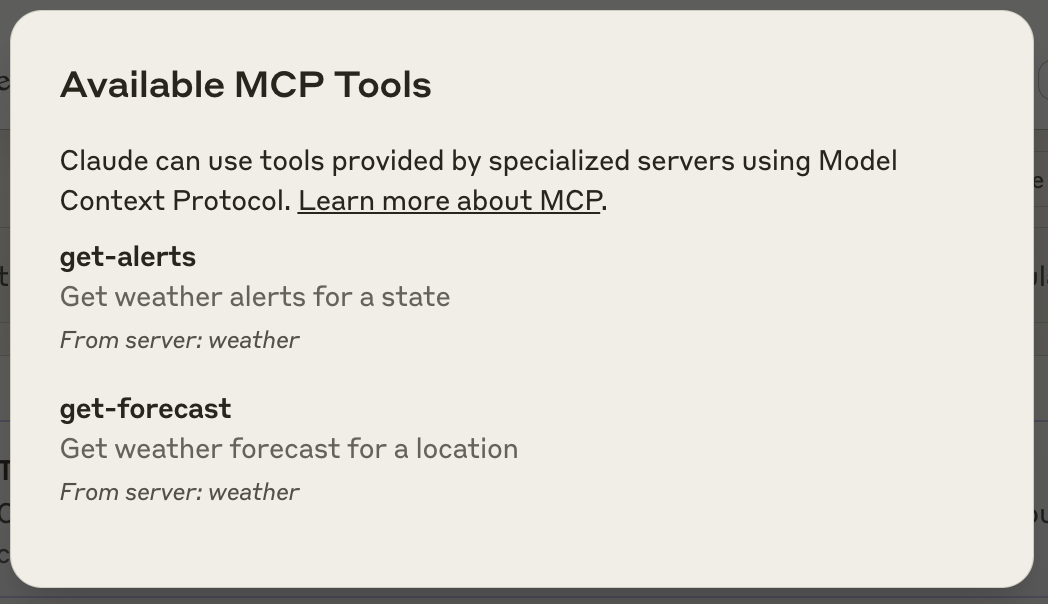
Give users visibility into what is connected. Source: modelcontextprotocol/docs.
Discussion
Comments
Share feedback or questions about this page. No account required.
Loading comments…