Build an MCP server
Get started building a server you can use in Claude Desktop, Cursor, VS Code and other MCP clients.
Adapted from the official Build an MCP server tutorial. The upstream page includes full TypeScript, Python, and other language walkthroughs — use it for copy-paste examples; this page captures the architecture decisions and enterprise checklist.
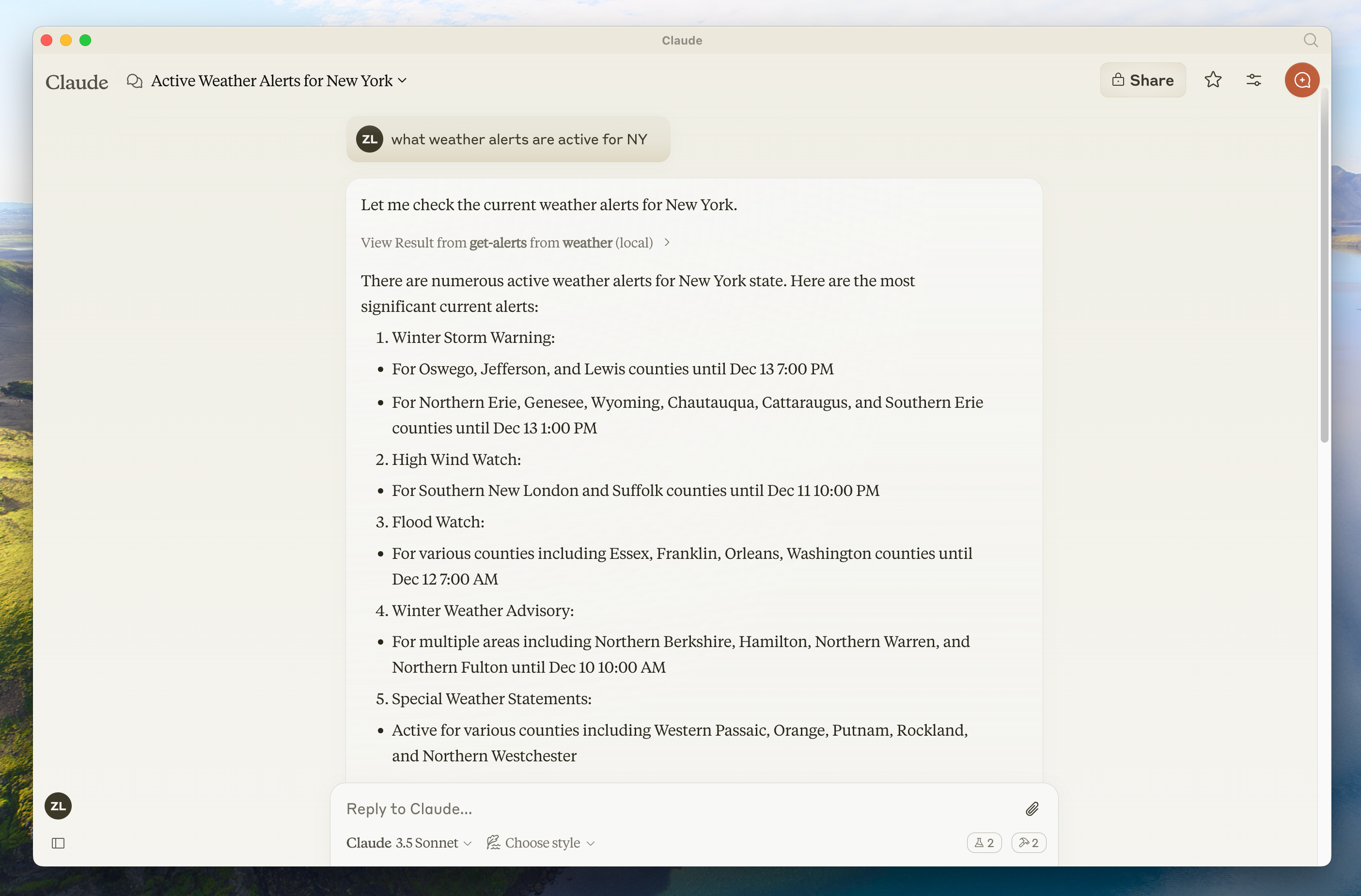
Reference weather server scenario used in official tutorials. Source: modelcontextprotocol/docs (weather-alerts.png).
Choose your path
| Goal | Recommendation |
|---|---|
| Fastest start on Node | TypeScript SDK (Tier 1) |
| Data / ML teams | Python SDK (Tier 1) |
| .NET estates | C# SDK (Tier 1) |
| Guided AI coding | Build with Agent Skills |
Full language matrix: SDKs.
What you will build
A typical first server (weather / filesystem tutorials):
- Declare server identity and capabilities.
- Register tools with JSON Schema inputs.
- Optionally register resources and prompts.
- Connect a stdio transport for local hosts.
- Test with MCP Inspector.
- Add the server to host config (Claude Desktop, Cursor, …).
Conceptual TypeScript shape
import { McpServer } from "@modelcontextprotocol/sdk/server/mcp.js";
import { StdioServerTransport } from "@modelcontextprotocol/sdk/server/stdio.js";
import { z } from "zod";

const server = new McpServer({
  name: "weather",
  version: "1.0.0",
});

server.tool(
  "get_alerts",
  {
    state: z.string().length(2).describe("US state code, e.g. CA"),
  },
  async ({ state }) => {
    // Call upstream API, handle errors, return structured content
    return {
      content: [{ type: "text", text: `Alerts for ${state}` }],
    };
  },
);

async function main(): Promise<void> {
  const transport = new StdioServerTransport();
  await server.connect(transport);
}

main().catch((error: unknown) => {
  console.error(error);
  process.exit(1);
});
Exact imports and APIs evolve — follow the current SDK README and the official build-server guide.
Design checklist
Decision checklist
- Each tool has one clear responsibility and typed inputs
- Errors return protocol-friendly messages (no raw stack traces to the model)
- Side-effecting tools are documented; hosts can require approval
- Secrets come from environment variables, never from tool arguments by default
- Stdio servers log to stderr only (stdout is the protocol channel)
- Inspector can list and call every tool successfully
- Absolute paths used in host config examples
Negative cases
| Failure | Mitigation |
|---|---|
| Logging JSON to stdout on stdio | Breaks the protocol — use stderr |
| Unbounded network timeouts | Set timeouts; return timed-out tool errors |
| Tool accepts free-form shell commands | Reject or tightly allow-list |
| Missing input validation | Schema + runtime validation; treat invalid input as tool error |
| Crash on upstream 5xx | Catch, return error content, keep process alive |
After the first server
- Connect to local hosts
- Connect remote servers when you need shared multi-user access
- Add authorization before exposing sensitive tools
- Publish metadata to the Registry when public
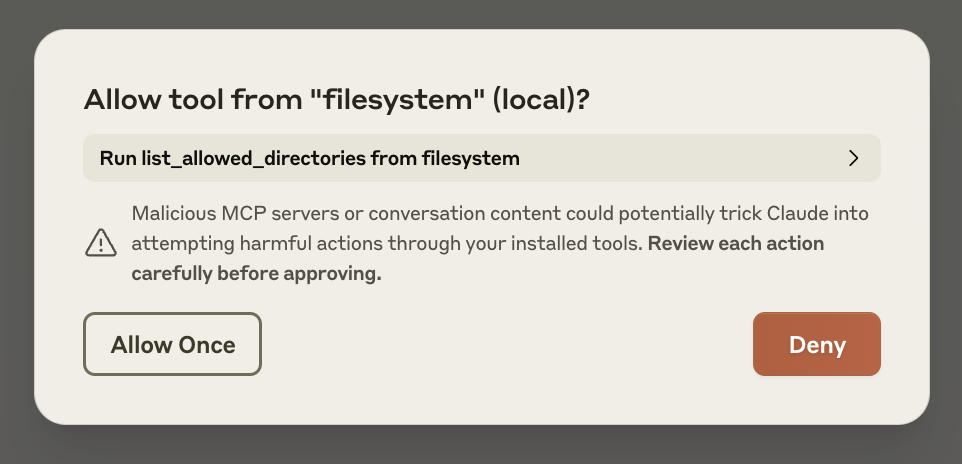
Hosts should prompt before side effects. Source: modelcontextprotocol/docs (quickstart-approve.png).
Discussion
Comments
Share feedback or questions about this page. No account required.
Loading comments…